
This article summarizes common Python GDAL code snippets for geospatial data processing. GDAL (Geospatial Data Abstraction Library) is a foundational library for handling raster and vector geospatial data, maintained by the Open Source Geospatial Foundation (OSGeo). Implemented in C/C++, it provides Python, Java, and other language bindings. When calling GDAL's API in Python, the underlying execution relies on compiled C/C++ binaries.
GDAL Official Site: https://gdal.org/
Python API Documentation: https://gdal.org/api/index.html#python-api
2. Development Setup
For demonstration, we'll create a dedicated Conda environment:
bash Create virtual environment (Python 3.8)
conda create -n gdal-test python=3.8 -c https://mirrors.aliyun.com/anaconda/pkgs/main/ -y conda activate gdal-test
Install core packages
conda install gdal3.0.2 matplotlib3.5.0 -c https://mirrors.aliyun.com/anaconda/pkgs/main/ -y
Remove environment if needed: conda env remove -n gdal-test
If encountering DLL errors on Windows, install precompiled wheels:
UC Irvine Python Extension Packages: https://www.lfd.uci.edu/~gohlke/pythonlibs/#gdal
bash conda uninstall gdal pip install GDAL‑3.3.3‑cp38‑cp38‑win_amd64.whl # Path to downloaded file
3. Core Workflows
3.1 Reading GeoTIFF Files
Preview:
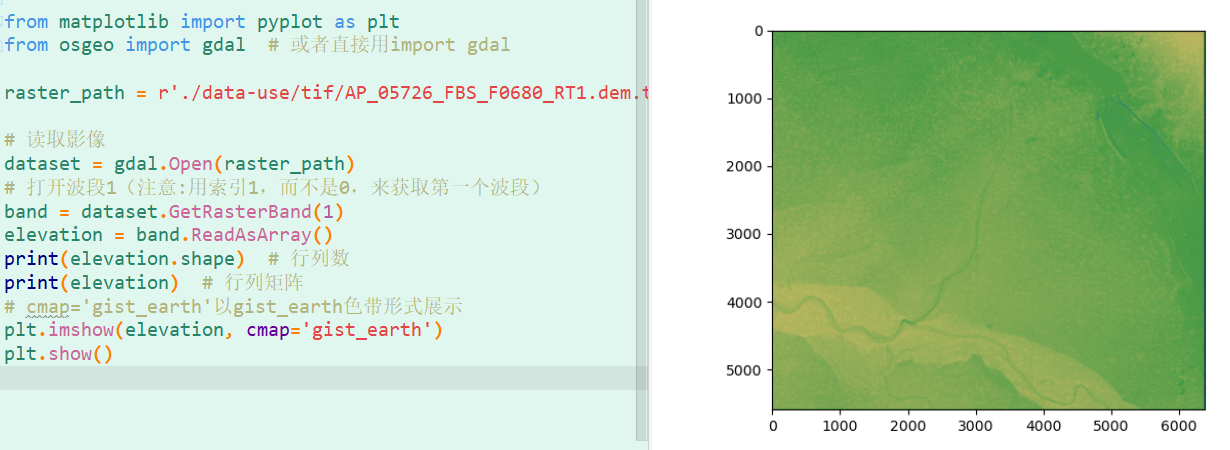
Code:
python
from osgeo import gdal
import matplotlib.pyplot as plt
raster_path = './data-use/tif/AP_05726_FBS_F0680_RT1.dem.tif' dataset = gdal.Open(raster_path) band = dataset.GetRasterBand(1) elevation = band.ReadAsArray()
print("Shape:", elevation.shape) print("Data:\n", elevation)
plt.imshow(elevation, cmap='gist_earth') plt.show()
3.2 Reading HDF Files
Preview:
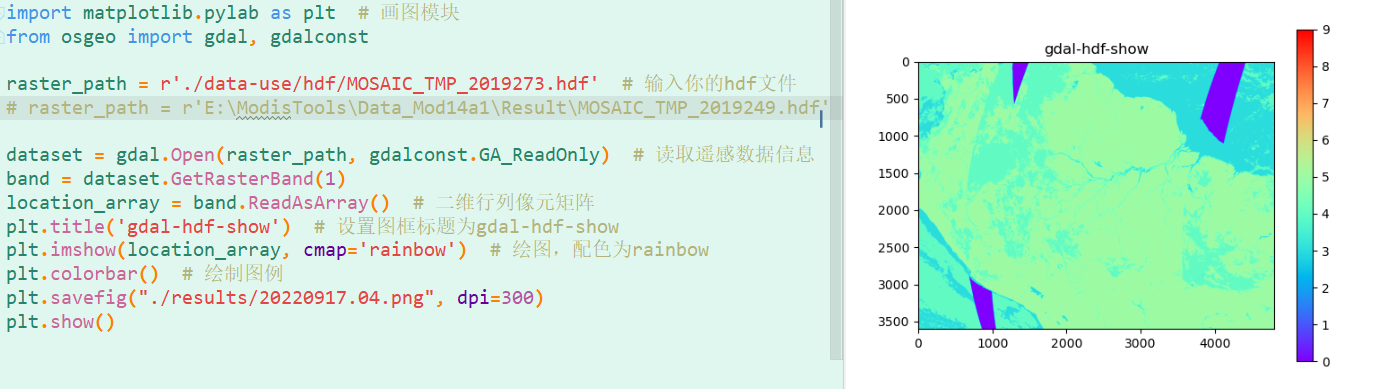
Code:
python
from osgeo import gdal, gdalconst
import matplotlib.pyplot as plt
raster_path = 'G:/temp/MOSAIC_TMP_2019249.hdf' dataset = gdal.Open(raster_path, gdalconst.GA_ReadOnly) band = dataset.GetRasterBand(1) data_array = band.ReadAsArray()
plt.title('GDAL HDF Visualization') plt.imshow(data_array, cmap='rainbow') plt.colorbar() plt.savefig("./results/hdf_visualization.png", dpi=300) plt.show()
3.3 2.5D Terrain Visualization
Preview:
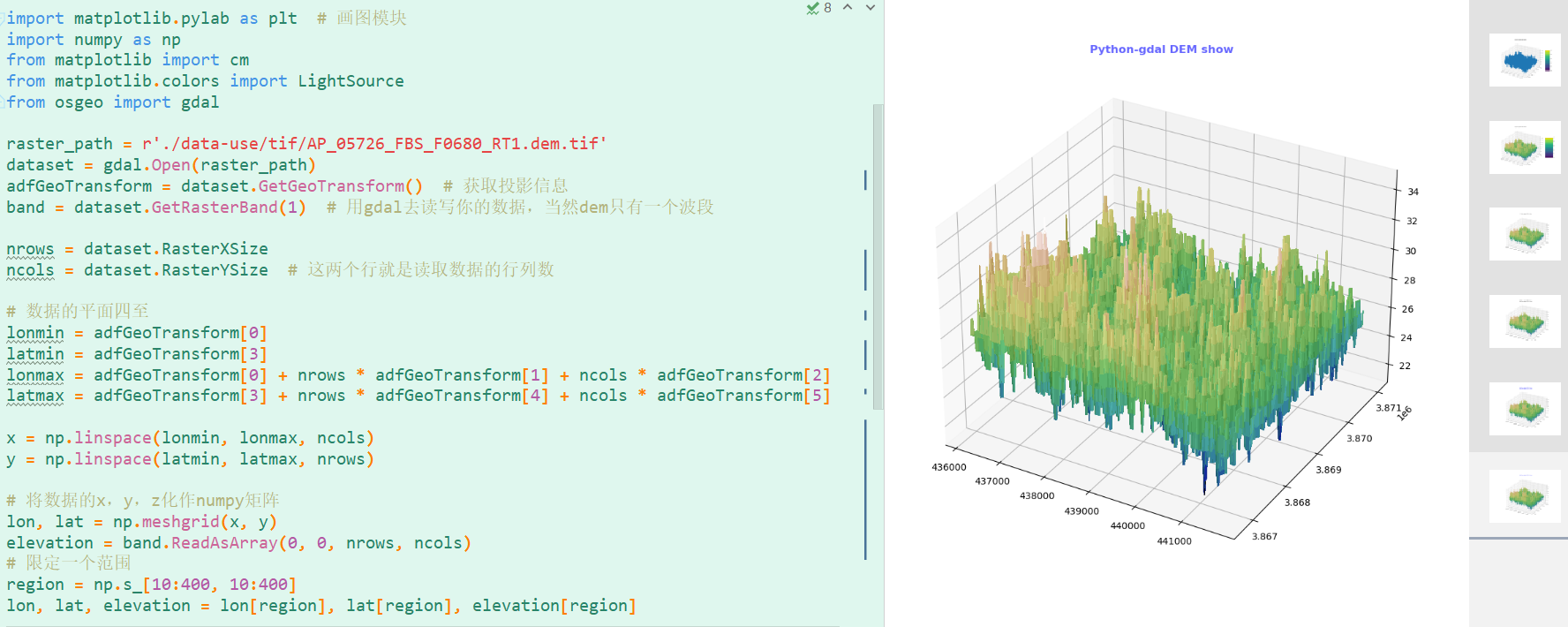
Code:
python
import numpy as np
import matplotlib.pyplot as plt
from osgeo import gdal
from matplotlib import cm
from matplotlib.colors import LightSource
raster_path = './data-use/tif/AP_05726_FBS_F0680_RT1.dem.tif' dataset = gdal.Open(raster_path) transform = dataset.GetGeoTransform() band = dataset.GetRasterBand(1)
Calculate spatial extent
xsize, ysize = dataset.RasterXSize, dataset.RasterYSize lon_min, lat_max = transform[0], transform[3] lon_max = lon_min + xsize * transform[1] lat_min = lat_max + ysize * transform[5]
Create coordinate grids
x = np.linspace(lon_min, lon_max, xsize) y = np.linspace(lat_min, lat_max, ysize) lon, lat = np.meshgrid(x, y) elevation = band.ReadAsArray()
Subset for performance
region = np.s_[10:400, 10:400] lon, lat, elevation = lon[region], lat[region], elevation[region]
3D visualization
fig = plt.figure(figsize=(12, 10)) ax = fig.add_subplot(111, projection='3d') ls = LightSource(azdeg=270, altdeg=60) rgb = ls.shade(elevation, cmap=cm.gist_earth, vert_exag=0.1, blend_mode='soft')
surf = ax.plot_surface(lon, lat, elevation, rstride=1, cstride=1, facecolors=rgb, linewidth=0, antialiased=False) plt.title("Python GDAL DEM Visualization", fontweight='bold', color='#6666FF') plt.show()
3.4 Extracting Raster Metadata
Key Attributes:
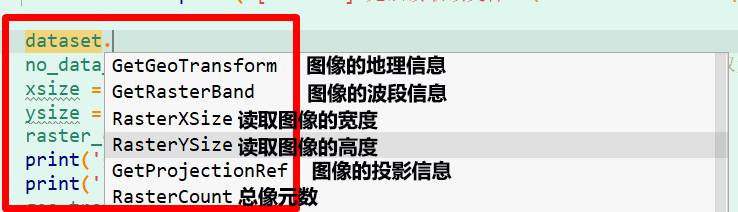
Code:
python
from osgeo import gdal, osr
import os
def get_raster_metadata(file_path): if not os.path.exists(file_path): raise FileNotFoundError(f"File not found: {file_path}")
dataset = gdal.Open(file_path, gdal.GA_ReadOnly)
if not dataset:
    raise RuntimeError(f"Failed to read file: {file_path}")

# Extract metadata
nodata = dataset.GetRasterBand(1).GetNoDataValue()
cols, rows = dataset.RasterXSize, dataset.RasterYSize
transform = dataset.GetGeoTransform()
projection = osr.SpatialReference()
projection.ImportFromWkt(dataset.GetProjectionRef())
dtype = gdal.GetDataTypeName(dataset.GetRasterBand(1).DataType)

return nodata, cols, rows, transform, projection, dtype
if name == "main": metadata = get_raster_metadata('./data-use/tif/NDVI_201405_bm.tif') for item in metadata: print(item)
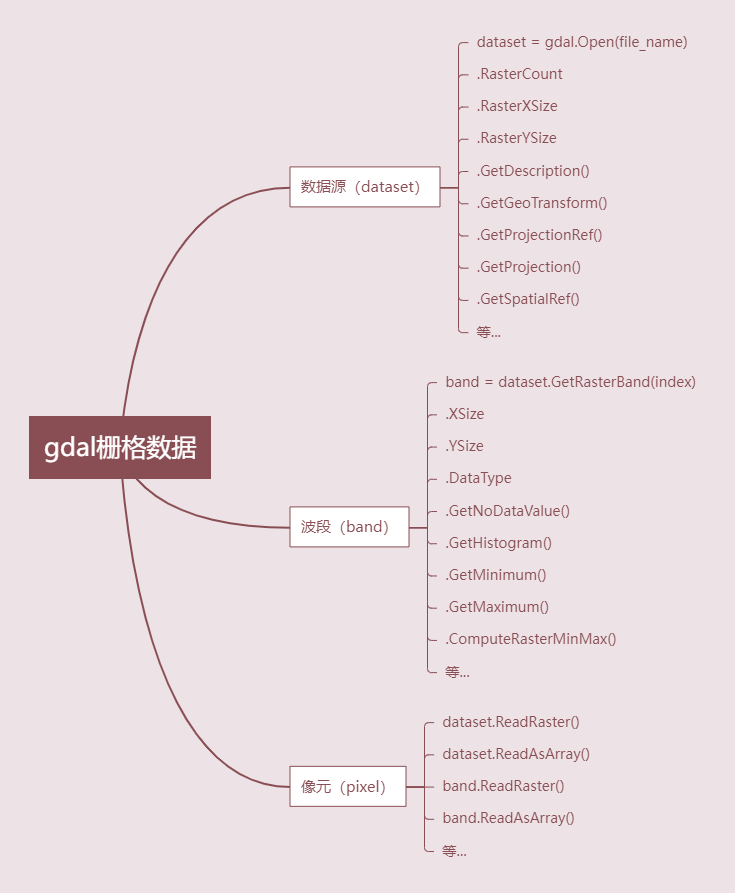
Common GDAL Raster Operations:
4. Q&A
-
Why focus on Python GDAL?
As GIS professionals, desktop tools abstract implementation details. Scripting deepens understanding of geospatial concepts and enables batch processing workflows. -
Why does this content seem impractical?
"What is the use of a newborn baby?" - Michael Faraday
Skills develop through practice. This foundation enables solving real-world problems through iterative learning. -
Why GDAL instead of ArcPy?
While ArcPy is powerful, it requires ArcGIS licensing. GDAL's open-source nature aligns with our philosophy of accessible geospatial tools. -
Future topics?
Planned workflows:- Format conversion (NetCDF/ASC to GeoTIFF)
- Reprojection
- Raster processing (clipping, resampling, NDVI calculation, cloud removal)
5. Conclusion
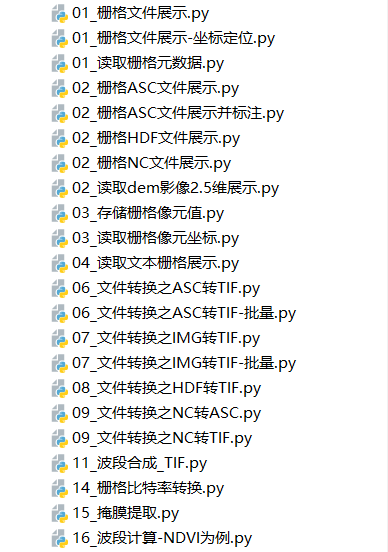
All code and sample data are available on Git:
Leave a Comment