MalaGIS

Sharing GIS Technologies, Resources and News.

Managing ArcGIS Pro Python Environment: Cloning and Speed Optimization

Users of ArcGIS Pro who wish to customize advanced features often rely on Python scripts, as many functions of ArcGIS Pro itself are implemented using Python. However, directly installing various Python packages in the built-in environment can easily lead to compatibility issues (especially since Python packages often have compatibility problems between versions). Therefore, ArcGIS Pro comes with a built-in Conda environment and packages the environment that ArcGIS Pro depends on as a read-only environment. This ensures that ArcGIS Pro remains stable and does not fail to run due to arbitrary modifications by users. As shown in the figure below, the software clearly indicates that the default environment cannot be modified.

more >>

Python and NumPy Versions in ArcGIS Products

Many users encounter issues when installing third-party packages for ArcPy, sometimes accidentally causing conflicts with Python versions and their corresponding packages. Incompatibilities between package versions can be particularly frustrating and may even disrupt core functionality of ArcGIS or ArcGIS Pro. This article provides a reference for the default Python and NumPy versions bundled with various ArcGIS versions, which can be helpful for troubleshooting such problems.

more >>

How to Automatically Run a Python Script on QGIS Startup

In the previous article titled "Displaying Selected Layer Count in QGIS with PyQGIS - MalaGIS", the author introduced a method to quickly view the number of selected layers using QGIS's Python API. However, if you need this functionality, you must open QGIS, then open the Python Console, locate the saved Python script file, and run it every single time. Although this process is simple, it can become tedious after repeated use. So, is there a way to automatically run a Python script when QGIS starts up? The author searched online and finally found a temporarily viable method to share today.

more >>

Displaying Selected Layer Count in QGIS with PyQGIS

When working with numerous layers in QGIS, it is often necessary to select multiple layers simultaneously for operations. However, with a large number of layers, it becomes difficult to quickly discern exactly how many are selected—don't worry, you can easily solve this by writing a small tool with PyQGIS!

Today, we share two methods to display the count of selected layers in real-time. These methods are straightforward to implement, with clear code, and can be tried by those in need.

more >>

Installing Third-Party Libraries for ArcGIS Desktop Python Environment

When working on data processing projects with ArcGIS Desktop (non-Pro version), extending arcpy functionality often requires installing third-party libraries. Since Python 2 doesn't include pip by default, this guide outlines the installation process.

Prerequisites

  1. Install ArcGIS Desktop
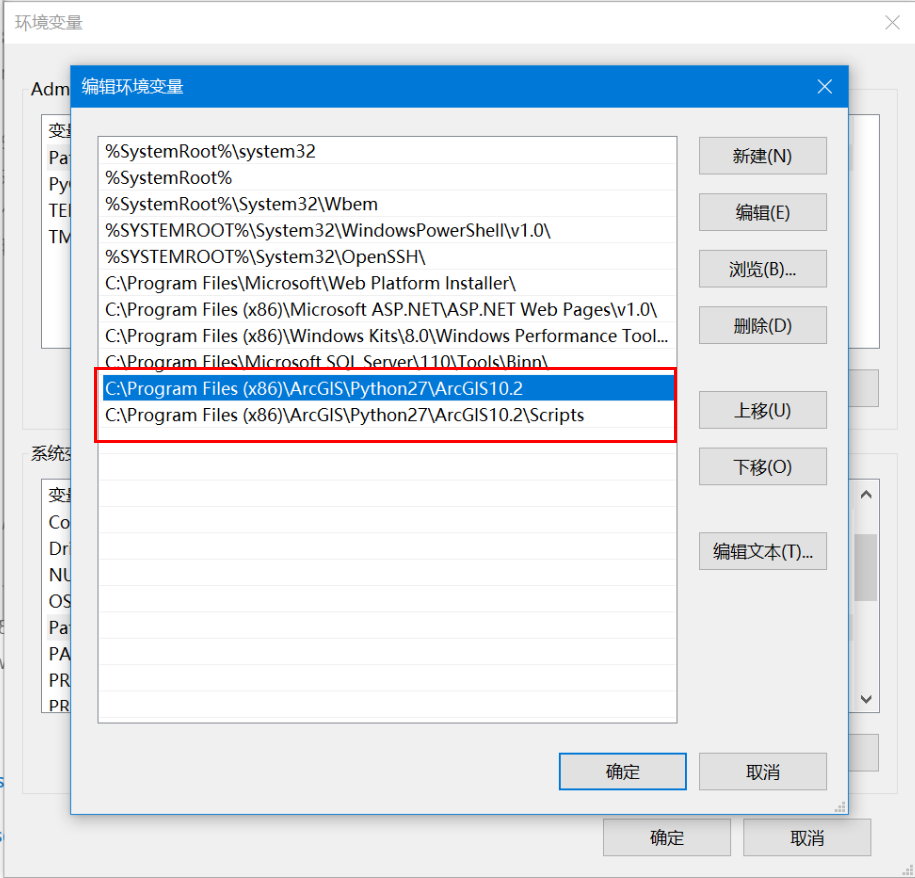
  2. Add Python path to environment variables (e.g., C:\Python27\ArcGIS10.X)
  3. Remove other Python paths from system variables

more >>

Python for Data Analysis (3rd Edition): Comprehensive Resource Package

We're sharing the third edition of the bestselling book Python for Data Analysis, including complete sample code repositories, PDF version, and online access links.

more >>

Installing Python Packages in ArcGIS Environments: Manual and Automated Approaches

When extending ArcGIS Python functionality (e.g., using openpyxl for Excel integration), installing supplementary packages becomes necessary. This guide demonstrates manual and automated installation methods for both online and offline scenarios.

more >>

Practical Python Integration in ArcGIS: Key Implementation Methods

Using Python within ArcGIS requires foundational Python knowledge. The following modules support Python integration:

more >>

Converting GIS Polygons to WKT Format with QGIS and Python

While developing a workflow involving spatial data duplication, an analyst requested help with client requirements:
① Convert individual polygons to WKT format in TXT files
② Merge multiple polygons into MultiPolygon WKT format

1713798782717

more >>

Python GDAL Tutorial: Raster Data Processing Essentials

This article summarizes common Python GDAL code snippets for geospatial data processing. GDAL (Geospatial Data Abstraction Library) is a foundational library for handling raster and vector geospatial data, maintained by the Open Source Geospatial Foundation (OSGeo). Implemented in C/C++, it provides Python, Java, and other language bindings. When calling GDAL's API in Python, the underlying execution relies on compiled C/C++ binaries.

GDAL Official Site: https://gdal.org/
Python API Documentation: https://gdal.org/api/index.html#python-api

more >>

Copyright © 2020-2025 MalaGIS Drive by Typecho & Lingonberry Sitemap

Back to top